

Ryland Hale wanted to make it easier for people to see what their politicians are actually doing. His project, CivicLens, pulls from sources like Congress.gov, LegiScan, the FEC, and Wikipedia to show voters exactly who represents them and how they vote.
But turning raw government databases into a readable website requires a massive amount of structured data. To get the biographical details and committee rosters right, Hale plugged the newly released Wikidata API endpoints from Wikimedia Enterprise directly into his ETL pipeline.
CivicLens showcases the possibilities you can unlock when combining multiple Wikimedia Enterprise API endpoints together for data discovery and knowledge base building. Let's see how CivicLens was built, what worked, and how Ryland handled the edge cases.
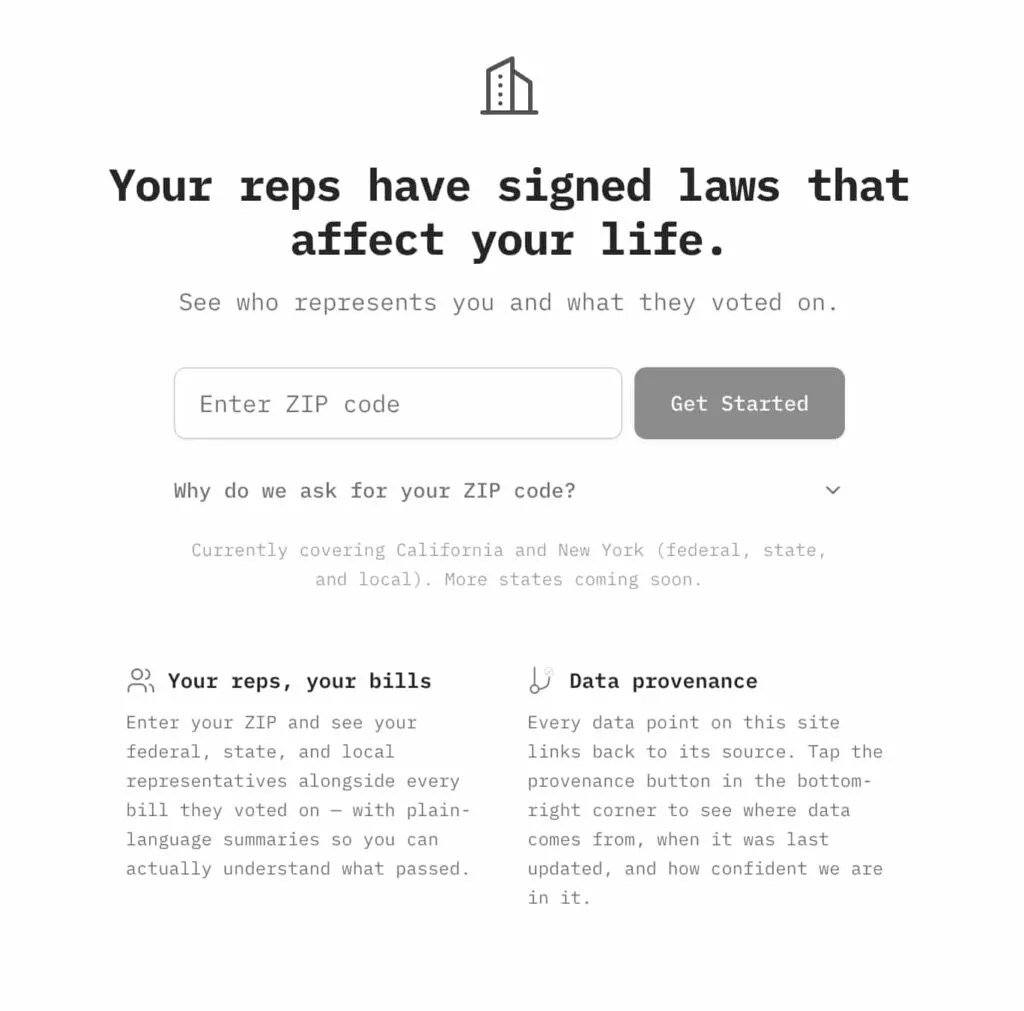
Screenshot: CivicLens
Pulling the Legislator Data
Hale hooked up the Wikidata On-demand Item Lookup Beta endpoint to a Dagster pipeline to pull data for federal and state representatives.
According to Hale, the response schema made it easy to write typed extractors for things like bios, political positions, education, and social media links. One major timesaver: the Enterprise endpoints resolve English labels directly in the API response without extra needed calls to the Labels List endpoint. If a politician's profile has a "position held" statement, the API includes the English label for that specific position, so he didn't have to waste time making secondary lookups to figure out what the Q-numbers and P-numbers meant.
For legislators who successfully returned from the index, the data depth was solid. Hale saw a 100% hit rate for birth dates and gender, 99% for education, 97% for political positions, and 93% for Twitter handles. By using the API's fields parameter to only grab what he needed, he kept the payloads light during his hour-long syncs.
The QID Workaround
There was a catch, though. The Enterprise endpoint needs a specific Wikidata Q-number (like Q42) upfront. Because CivicLens bases its data on sources like the FEC, Hale had external IDs, but no direct way to map those to Wikidata QIDs.His fix was to use Wikipedia as a bridge. His pipeline fuzzy-matches a politician's name to a Wikipedia article using the On-demand Article Lookup endpoint, then grabs the QID from the main_entity.identifier field. This method works both ways: if you have a Wikidata QID, you can find its corresponding Wikipedia articles in any language project using the sitelinks object.
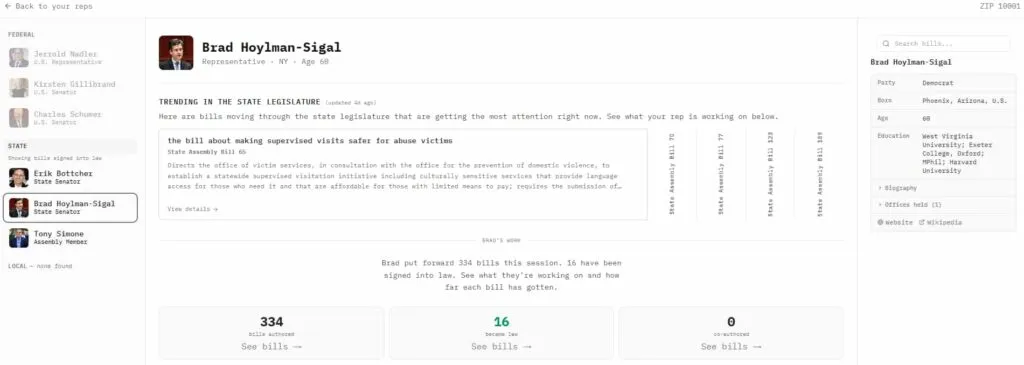
Screenshot: CivicLens
Committees and the 404 Fallback
When Hale expanded the pipeline to cover congressional committees, he ran into an issue with the API's index coverage.
The Enterprise database backfills its Wikidata database when items are edited. With Wikidata endpoints only being pushed to production a few weeks ago, its database is still being built. Since politician profiles are edited constantly, Hale only saw about a 30% 404 rate on initial fetches, which he handles by caching and re-checking later. But committees don't change as often. For those, the 404 rate spiked to 78%: only 8 out of 37 committees were in the index.
To get around this without writing entirely new extraction logic, Hale built a clever fallback. When the Enterprise API returns a 404, his system fetches the data from the public Wikidata API (Special:EntityData/{QID}.json) instead. He wrote a translation layer that converts the public response format into the Enterprise schema format on the fly. This got him 100% coverage for the 37 committees in his test set, and his typed extractors don't have to care where the data actually came from.
(A quick data observation from Hale: Wikidata's "member of" property is pretty sparse for politicians - only about 5% had their committee memberships listed. To get around this, CivicLens parses member rosters straight from Wikipedia article HTML instead, hitting 83% coverage.)
Seeing It in Action
You can see the result of this pipeline on the CivicLens frontend; search for a ZIP code (like 94104 for San Francisco), you get a breakdown of reps from city hall to the Senate. Almost all the headshots, ages, and tenure stats in those cards come from Wikidata.
If you drill down into a specific bill's timeline and click on a committee referral, the side panel loads the committee chair, sponsor, and a full roster of members, all driven by this data pipeline. And because CivicLens is focused on transparency, Hale included a provenance button in the corner so users can see exactly which data sources are powering the page they are looking at.
Wikidata as the knowledge graph connector
CivicLens shows a powerful use case for integrating the Wikidata endpoints from Wikimedia Enterprise in your projects: if you have data from disparate knowledge sources, you can disambiguate them with Wikidata's external identifiers. You can also discover new crucial sources of knowledge: Wikidata's sitelinks are the prime way to discover Wikipedia articles you can pull in with the Enterprise On-demand API. Discover external sources of data using the Wikidata Item Lookup endpoint: for CivicLens, Twitter/X handles from politicians are discovered through their external identifier, which can then be passed to the Twitter/X API.
If you want to give feedback or collaborate on this project, or want access to the pipelines themselves, CivicLens is being open-sourced right now. Contact CivicLens at the email address on their website.
Get Started
Ready to start building? Sign up for a free account or contact our sales team to discuss your use case.
Photo Credits
Refraction of Light, CC BY 4.0
